NFC vs QR for Trade Show Booths — Which One Fits Where
NFC and QR compared from a booth operations angle. The answer is not either-or — NFC for repeat staff use, QR for first-touch visitor access.
If you are planning a trade show booth, you have probably hit this question: should we use NFC tags or QR codes? Here is the short answer up front: NFC and QR are not competing technologies — they split the work. Staff who repeat the same action dozens of times a day are better served by NFC, because a tap is instant and never pulls their eyes off the visitor. Visitors approaching your booth for the first time are better served by QR, because scanning a code is an action nobody needs to be taught. This guide compares the two from a booth operations perspective and maps each one to the touchpoints where it actually wins.
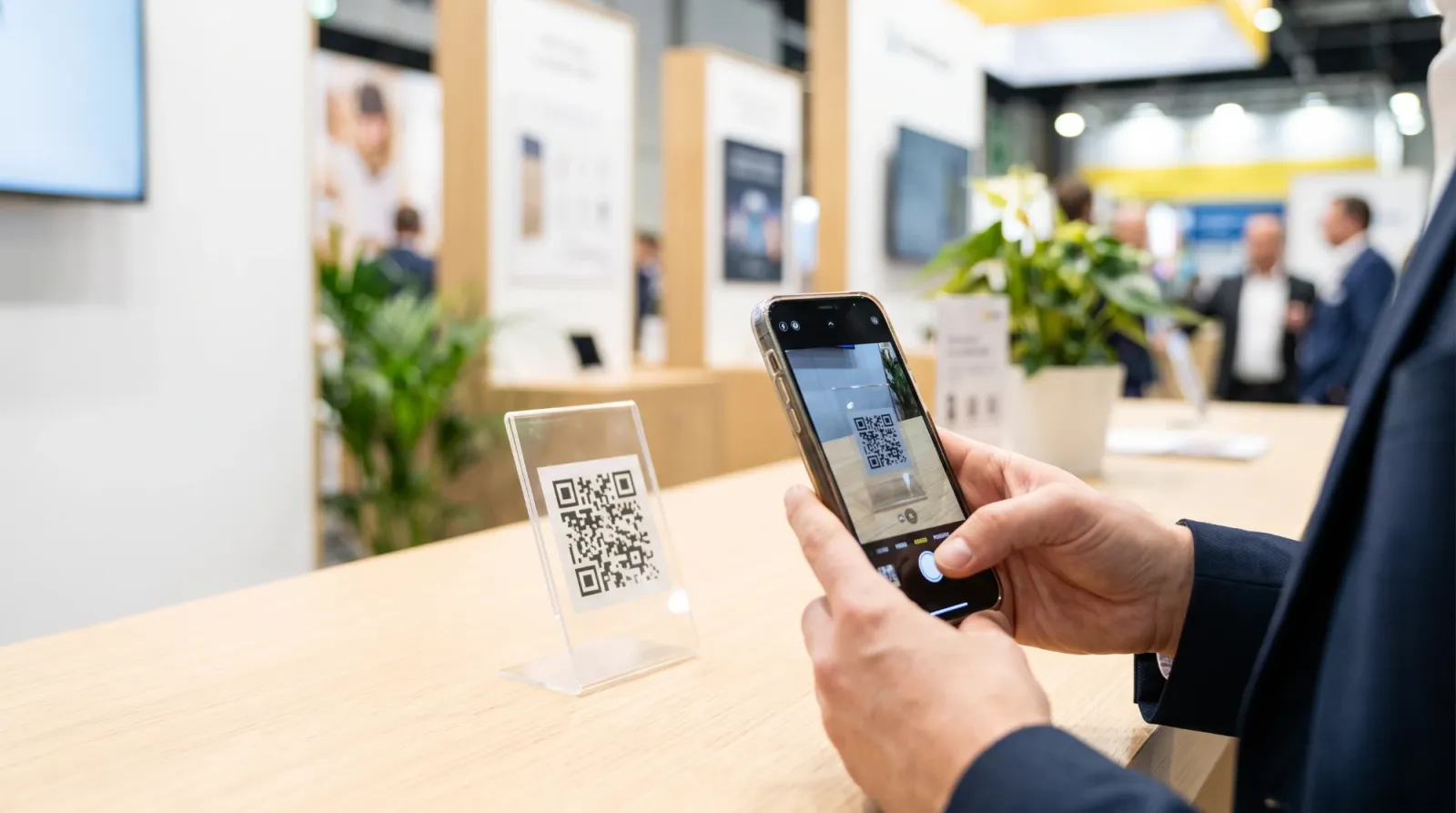
What is the technical difference between NFC and QR?
Both technologies produce the same end result: a smartphone opens a web page. What differs is how the phone gets there, and that difference decides which one works at each spot in your booth.
A QR code is an image read by the camera. It can be printed on paper or acrylic, or displayed on a screen — anywhere visible works. The visitor opens their camera, frames the code, and taps the link that appears. Modern smartphones recognize QR codes with the built-in camera app, so no separate app is required.
NFC is a short-range wireless chip. Hold a phone almost against the tag and the link opens — no camera, no framing, no waiting for focus. It is noticeably faster and requires zero visual attention. The trade-off: NFC needs a physical chip, so it cannot live on printed material, and every tag carries a per-unit cost.
| Criteria | QR code | NFC tag |
|---|---|---|
| Read method | Camera scans an image | Phone taps a short-range chip |
| Range | Tens of centimeters (whatever the camera can frame) | A few centimeters (near contact) |
| Speed | Open camera, frame, focus | Responds the instant you tap |
| Works on print | Yes — paper, acrylic, screens | No — requires a physical chip |
| Cost | Printing cost only; copies are effectively free | Per-tag chip cost |
| Visitor learning curve | Practically none — scanning is a universal habit | May need a "tap here" prompt |
| Hygiene / contactless | Contactless at a distance | Contactless, but at very close range |
| iPhone and Android support | Built-in camera on recent phones | Natively supported on most recent phones |
Neither column wins outright. QR is built for distribution; NFC is built for repetition.
Why is NFC the right choice for booth staff?
Picture a staffer's day on the floor. Every conversation ends with the same action: open the capture screen, log the lead. During peak hours that action repeats many times an hour. With a QR code, each repetition means launching the camera, aiming at the code, and waiting for focus. Trivial once — costly by the fiftieth time.
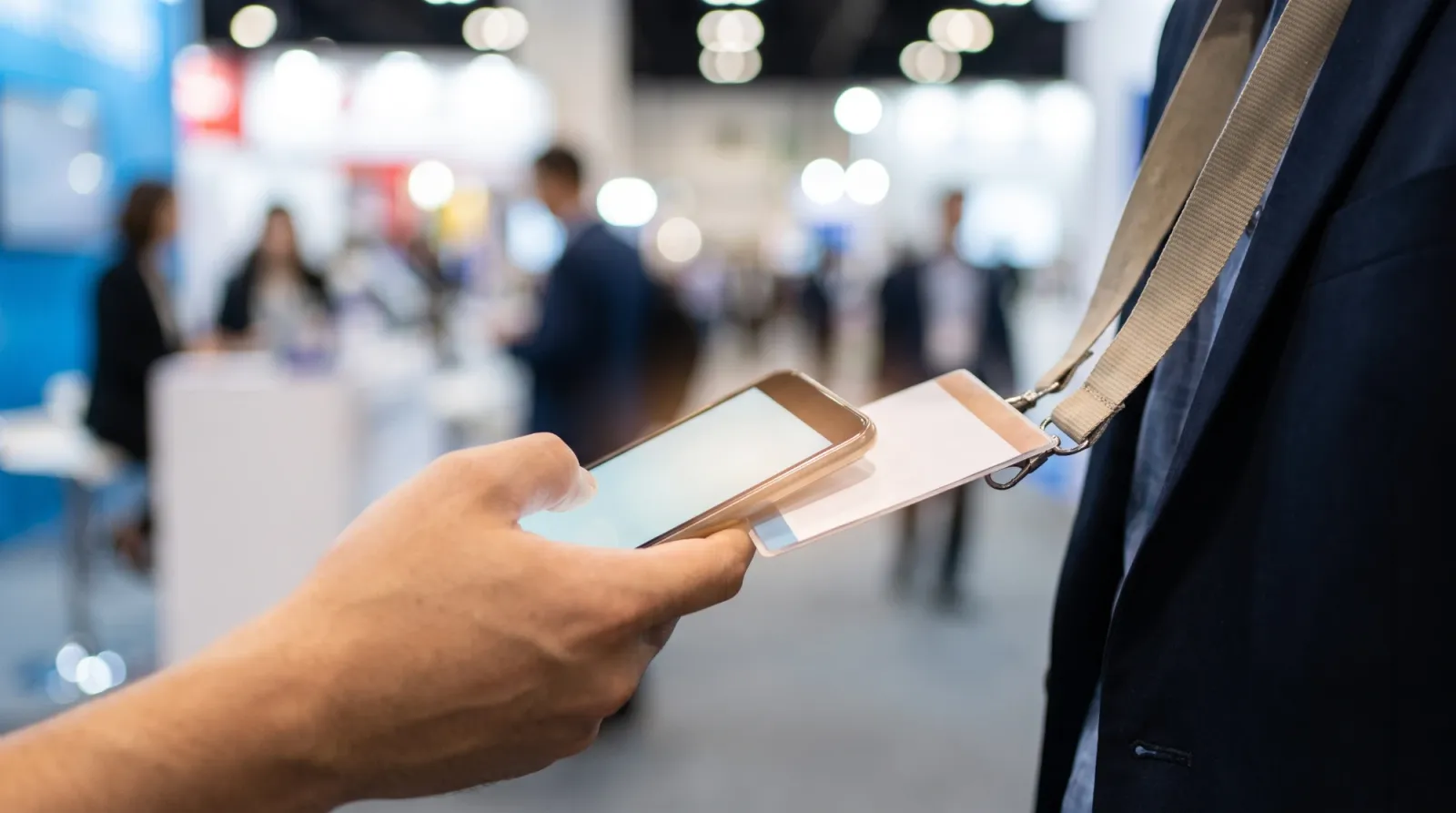
NFC collapses that loop into a single tap. Touch your phone to the badge hanging around your neck and the capture screen is already open. You keep eye contact, keep the conversation moving, and your hands do the work without your gaze ever dropping to a viewfinder. That uninterrupted attention is the single biggest advantage NFC brings to a live sales conversation.
The rule of thumb: high frequency, speed-critical, eyes-up usage — in other words, staff repeat use — belongs to NFC.
Why is QR the right choice for visitors?
Visitors are the opposite case. They are seeing your booth for the first time, and what they need is not raw speed but an action that requires no explanation. QR scanning has become a universal gesture — restaurant menus, payments, posters — so when a visitor sees a QR stand on your table, most will reach for their camera without being asked.
Put NFC in front of visitors and you inherit friction: someone has to explain where to tap, and people fumble over which part of the phone to hold against the tag. Friction at the first touchpoint means walk-aways. QR also wins on reach — the same code can be reproduced infinitely across brochures, posters, and handouts at essentially zero cost.
So the first-touch, self-serve, print-and-distribute side of the booth belongs to QR.
Which technology fits each booth touchpoint?
Here is the recommended mapping across a typical booth:
| Touchpoint | Recommendation | Why |
|---|---|---|
| Staff badge | NFC | Dozens of uses a day; a tap is fastest and keeps eyes on the visitor |
| Booth table stand | QR | Visitors already know the gesture; scannable from a comfortable distance |
| Brochures and posters | QR | NFC cannot be printed; QR only needs ink |
| Handouts and giveaways | QR | Near-zero cost to reproduce at volume; still works after the show |
The pattern: one destination (your company page, your capture form), multiple entry methods matched to who is using them and how often.
How do you run QR codes well at a booth?
Printing a QR code is the start, not the finish. A few operational details decide whether it actually gets scanned.
- Size and height. A tabletop QR should frame naturally in a phone camera when a visitor is standing a step or two away. Codes that force people to lean in create hesitation.
- Short URLs. The longer the encoded URL, the denser the code pattern and the harder it is to read. A short URL produces a simpler code that scans reliably from farther away.
- Check what opens after the scan. The scan is only the doorway. Make sure the landing page is mobile-optimized, and if your show draws international buyers, that it supports multiple languages. A desktop-formatted page on a phone screen loses the visitor on the spot.
- Print resolution. Enlarging a low-resolution image blurs the code's edges and causes scan failures. Always print from a high-resolution source file.
How do you run NFC tags well at a booth?
NFC has its own short list of field-tested practices.
- Label the tap spot. A brief "tap your phone here" line or icon on the badge removes hesitation for first-time users. It also helps to remind the team once where their phone's NFC antenna sits — typically the upper back of the device.
- Watch out for metal. NFC suffers interference directly on metal surfaces. Avoid sticking tags onto metal fixtures; a badge worn on the body or a tag on a non-metal surface is the safe placement.
- Mind case thickness. Very thick phone cases, especially wallet-style cases holding cards, shorten the read range. Run a quick tap test with each team member's phone before the show opens.
How does TagBooth package this NFC-plus-QR setup?
TagBooth is a trade show lead capture platform built around exactly the division of labor described above: NFC for staff, QR for visitors.
Its defining feature is that a single tag code opens two different experiences automatically. When a staff member taps it, they land on a capture screen designed for 30-second entry. When a visitor scans it, they see your company profile and brochure page — in the browser, with no app to install.
The physical side is included. The on-site kit ships with NFC lanyard badges for staff (wear it, tap your phone, the capture screen opens) and a QR acrylic stand for the booth table (for visitor scans). High-resolution print-ready QR codes are issued instantly per booth, so the same code can go straight onto brochures and posters. AI business card recognition and a post-event report round out the workflow. You can try the actual screens in the demo, or see how onboarding works on the how it works page.
FAQ
If I could only pick one, should it be NFC or QR?
Pick QR. It can be printed anywhere, reproduced for free, and visitors scan it without instruction. That said, if your staff will be opening a capture screen dozens of times a day, adding an NFC badge for the team pays for itself in floor speed almost immediately.
Do iPhones support NFC tags?
Yes. Recent iPhones and most recent Android phones read NFC tags natively, with no extra app. Holding the phone near the tag surfaces a link notification, and tapping it opens the page in the browser. Antenna placement varies by model, so run a quick test with your team's phones before the event.
How large should a tabletop QR code be?
Large enough to frame naturally in a phone camera from one or two steps away while standing. The smaller the print, the closer people must lean in, and scan rates drop. Encoding a short URL keeps the pattern simple, and printing from a high-resolution file preserves readability at any size.
Do I need separate links for staff and visitors?
You can technically create two links and place them separately, but that doubles the management overhead and invites mix-ups on a busy floor. TagBooth resolves this with a single tag code that automatically routes staff to the capture screen and visitors to the company page, so there is nothing to keep in sync.